
Dripify
Rating: ⭐️⭐️⭐️⭐️
Last Updated: November 18, 2026
Dripify is a cloud-based prospecting platform that combines LinkedIn actions and email follow-ups in automated sequences. Its appeal is more consistent outreach, clearer campaign tracking, and less manual administration.
|
Category |
||
|
Free Trial |
7 Days |
|
|
Starting price |
$0 |
|
|
Use Case |
||
|
Best for |
This page contains affiliate links. We may earn a commission when you click links to our partners. But rest assured that our reviews are editorially independent and not influenced by commissions. Read Affiliate Disclosure
Jump to section:
Overview
Dripify Review: Consistent LinkedIn Outreach, With One Risk You Can’t Ignore
Most outbound fails quietly. A prospect accepts your connection request, you mean to follow up, and then the week gets away from you. By the time you remember, the moment has passed.
Dripify exists to close that gap. It runs LinkedIn and email follow-ups on a schedule, so the follow-up happens even when you’re busy.
There’s also a catch that most reviews bury. I’ll put it up front so you can decide whether the rest of this review is worth your time.
⚡ Quick Verdict
Dripify is a cloud-based prospecting platform that combines LinkedIn actions and email follow-ups in automated sequences. The appeal is more consistent outreach, clearer campaign tracking, and less manual admin.
It’s worth a look if you have a defined B2B audience, a credible LinkedIn presence, and an offer that already starts conversations.
My recommendation: start with Pro for individual prospecting. Move to Advanced only when message testing, recurring lead collection, or team management solves a specific problem you actually have.
The catch: LinkedIn prohibits third-party software that automates activity on its site. Dripify’s safeguards don’t change that policy. If losing access to your LinkedIn account would be a disaster, keep your LinkedIn outreach manual.
What Does This Tool Do?
Dripify helps businesses organize outbound prospecting across LinkedIn and email. It lets users build sequences, personalize messages, follow campaign performance, and manage prospect conversations.
It runs in the cloud, so ongoing campaigns do not depend on keeping your computer switched on. Dripify documents an optional Chrome extension for connecting an account; the extension is not required for the platform to operate.
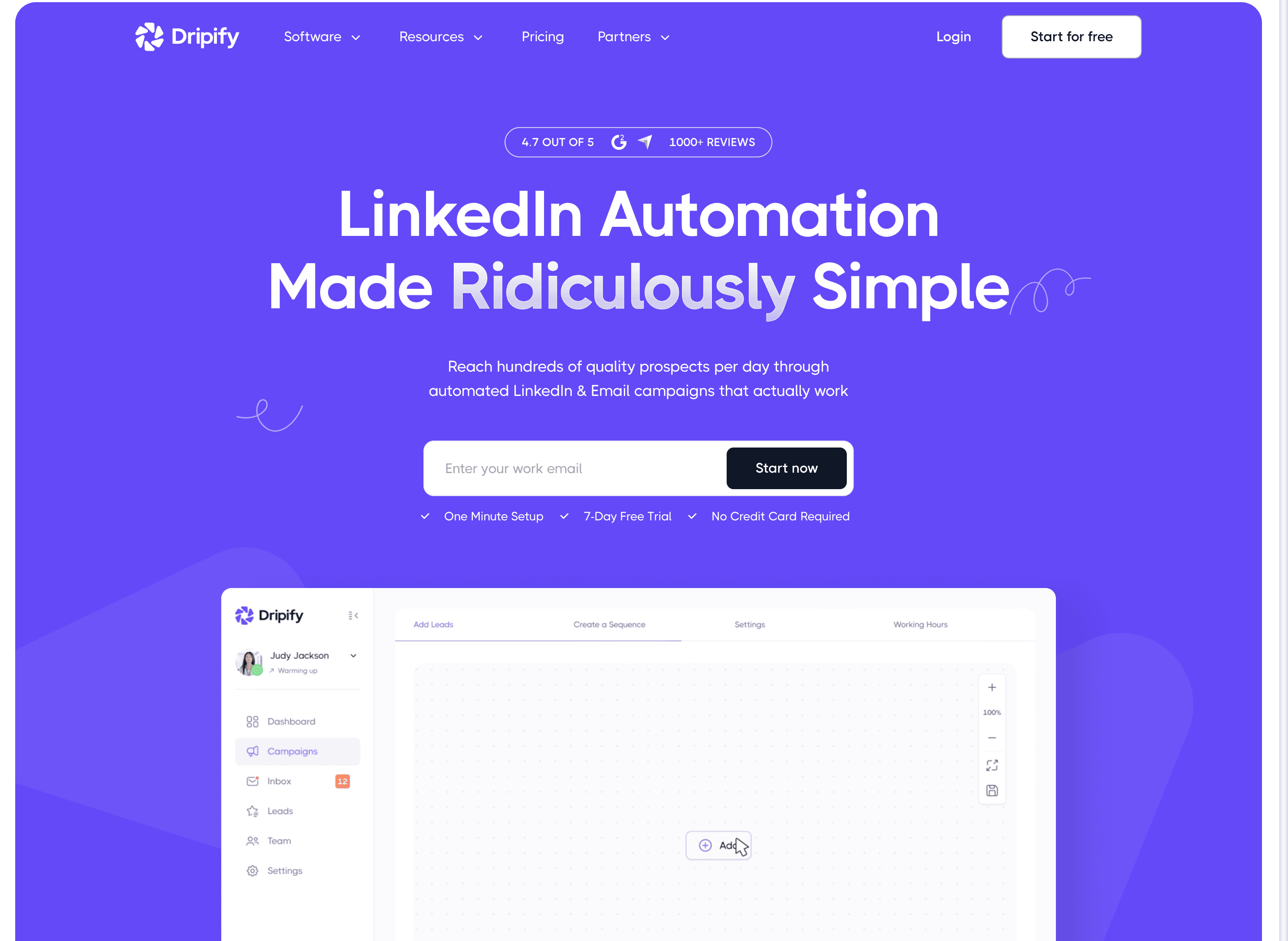
Dripify doesn’t tell you whom to contact, why your offer matters, or how to handle the conversation once someone replies. It executes a process you already have.
You build sequences, personalize messages, track campaign performance, and manage prospect conversations. A Chrome extension is optional for connecting an account, but the platform doesn’t require it.
If your process is sound, Dripify makes it consistent. If your targeting or offer is weak, it makes the weakness consistent too.
Featured Deals and Offers
Offers, pricing, and promo codes can change without notice. Check the official website for the latest terms.
25% off Dripify Annual Plans
Sign up for an annual plan to save up to 25% on Dripify
Claim DealOffers, pricing, and promo codes can change without notice. Check the official website for the latest terms.
Get Dripify offer alerts
Be the first to know about new deals, discounts, and trial offers for Dripify.
Use Cases
Who Should Use This Tool?
B2B consultants and service businesses. If you already find the right decision-makers on LinkedIn and your problem is follow-up, this is the sweet spot.
Founders and small sales teams. You get LinkedIn and email touches in one workflow, without coordinating every step by hand.
Agencies running outbound. You get oversight of multiple reps and clearer ownership of each prospect.
Businesses with a repeatable offer. The bottleneck needs to be execution, not product-market fit.
The math works best when a qualified conversation can turn into serious project or contract revenue. For low-margin products sold to a broad consumer audience, it’s much harder to justify.
Who Should Look Elsewhere?
Anyone who can’t accept LinkedIn account restrictions. Stay manual.
Teams focused on scaling cold email. Compare specialist email platforms before paying for LinkedIn-oriented features.
Businesses that need newsletters, ecommerce campaigns, or lifecycle automation. Look at email marketing platforms.
Teams hoping software will fix weak targeting. Validate your message before you increase volume.
Key Features and Benefits
Conditional sequences
Sequences can include LinkedIn invitations, messages, InMails, email actions, delays, and conditions such as connection status and email availability.
A consultant could build one path for prospects who accept a request and another for those who don’t, instead of keeping reminders for every individual. The benefit is consistency. Whether it works still depends on whether your offer deserves a reply.
Native email steps
Dripify sends through a connected Gmail or Outlook mailbox. The documented ceiling is 200 emails per day, and you can send follow-ups in the same thread or a new one. Those are platform settings, not a promise of inbox placement.
An integrated email finder looks up verified business addresses. Each subscription includes 100 finder credits a month, and extra credits are available to buy. Successful lookups use credits, and unused credits expire rather than roll over.
Sending more messages doesn’t prove they’re reaching the right people.
Personalization beyond a first name
You can use standard variables and custom lead fields, populated individually or by CSV import, to carry details like a recent company event or a custom opening line.
That makes your data quality the real variable. A relevant observation improves a message, and an inaccurate one makes it worse.
Dripify also advertises AI icebreakers, and its Humanizer feature is listed as coming soon, so I haven’t counted that in the value assessment.
My rule: review a sample of personalized messages before you scale. Look for relevance and factual accuracy, not just differing words.
Smart Inbox
Smart Inbox filters LinkedIn conversations down to your Dripify leads, with notes and filters showing who sent the last message. It doesn’t show unrelated LinkedIn chats. That focus helps a salesperson concentrate on active prospecting threads.
Email is murkier. The cold email page labels a unified email inbox as coming soon, while its FAQ mentions viewing email replies in Dripify. If managing every channel from one inbox is essential, ask for a demo of the exact reply workflow.
Analytics and A/B testing
Dripify reports connection acceptance, responses, and campaign activity. One limitation to know about: the percentages reflect the campaign’s lifetime and can’t be filtered by date. For period-specific numbers, you’ll need to calculate them from the raw counts. If you report monthly, that’s extra work.
A/B testing is a beta feature on Advanced. It supports text-based outreach actions, up to three variants per action, and sequences with a test can’t currently be saved as templates.
A handful of replies is a weak basis for crowning a winning message. Track qualified conversations and booked meetings next to response rates.
Evergreen lead collection
Advanced includes Evergreen lead uploads. Dripify checks LinkedIn post activity every 12 hours and Sales Navigator sources weekly, with a limit of 10,000 leads per Evergreen-enabled list.
It saves recurring list maintenance. But a continuously refreshed list will keep collecting poor-fit prospects if your criteria are too broad, so review your targeting regularly.
Team management
Dripify documents Owner, Manager, and User roles, team reporting, shared templates, and rules that skip leads already in a teammate’s campaign. Management roles require Advanced, while participating users can be on lower plans.
The payoff is coordination. Two reps contacting the same prospect makes a company look disorganized. One catch: each active sender still needs a subscription tied to their own LinkedIn account, so compare total cost for your real mix of managers and reps.
Integrations
Dripify documents a native HubSpot integration, webhooks, an Open API, and an MCP server. The API retrieves outreach data and imports leads. The MCP server lets supported AI tools do specific tasks, like listing campaigns and finding leads. That doesn’t mean an AI assistant can run your whole sales process on its own. Zapier and Make are also options, but they can add configuration work and extra subscription costs.
User Experience
What It’s Like to Set Up and Use
The documented workflow is familiar: connect your accounts, select leads, build the sequence, configure timing, and review settings.
The heavier lift is campaign preparation. That means defining your audience, writing useful messages, checking your branching logic, and deciding what happens after someone replies.
If you run a trial, make it a proper one:
- Pick a small, clearly defined audience.
- Confirm that lead data imports correctly.
- Check that variables populate cleanly.
- Verify that follow-ups behave as designed.
- Make sure replies reach the person responsible for handling them.
The Risk Nobody Should Skip: LinkedIn’s Policy
Dripify describes dedicated regional IP addresses, randomized delays, working hours, activity limits, and cloud operation as safeguards. Its own help center admits that no third-party tool can guarantee LinkedIn won’t restrict an account.
LinkedIn’s policy prohibits third-party automation on its site. A vendor’s daily action allowance is not permission from LinkedIn, and it’s not a guaranteed safe volume.
For a founder whose personal profile is a core business asset, that risk can outweigh the time saved. Treat losing account access as part of the purchase price.
Pricing and Value
| Plan | Price | Main fit | Important limits or notes | Action |
|---|---|---|---|---|
| Free | $0 | Testing Pro features before you commit | 7 days | Get FREE trial |
| Pro | $79 | B2B consultants, founders | 100 credits email finder, Unlimited drip campaigns, Built-in LinkedIn protection, Analytics & reports, Dedicated inbox | Visit website |
| Advanced | $99 | Small sales teams and agencies | Everything in Pro + Team management, Advanced LinkedIn protection, Lead tagging, Step analytics, A/B testing, Evergreen leads | Visit website |
| Enterprise | Custom | Everything in Advanced + Premium onboarding, Dedicated technical support, Customer success manager | Visit website |
Which Plan Offers the Best Value?
The annual discount: Paying annually works out to $708 per Pro user per year instead of $948, and $948 per Advanced user instead of $1,188. That saves $240 on either plan, roughly 25% on Pro and 20% on Advanced.
Older indexed pages still show a Basic tier. It’s not in the live plan lineup, so confirm availability directly if you see that offer.
Which plan? Pro is the starting point for an individual seller. Advanced makes sense when you have a concrete testing or management need, not just a taste for the top tier.
A team example: five people on Advanced works out to $495 a month, or $4,740 a year on annual billing. That’s an illustration, and a mixed-plan setup or negotiated quote may differ.
Budget for the extras: paid LinkedIn search subscriptions, additional email data, connected mailboxes, integration tools, and your own management time.
A simple value check: if a campaign costs $150 a month and each customer brings $750 in gross profit, you need one attributable customer every five months to cover it. That’s an illustration, not a forecast of Dripify’s results.
Pros and Cons
Strengths
- LinkedIn and email steps live in one prospecting process
- Cloud-based, so campaigns don’t need an open browser
- Custom lead data supports more relevant personalization
- Campaign reporting and documented message testing
- Management controls that improve coordination across reps
Trade-offs
- LinkedIn account-restriction risk that vendor safeguards can’t eliminate
- Advanced is required for several optimization and management features
- A/B testing is still in beta, with template limitations
- Documentation discrepancies around CRM and inbox features
- Better outreach still needs good targeting, a useful offer, and prompt human follow-up
Frequently Asked Questions
Is there a free trial?
Yes. Dripify advertises a seven-day trial with no credit card required and access to Advanced features.
Do I need LinkedIn Sales Navigator?
No. Dripify says it works with free LinkedIn accounts. Sales Navigator is optional and billed separately, and it’s useful if you need more detailed prospect searches.
Can it send emails?
Yes, through Gmail or Microsoft Outlook. Check mailbox compatibility and the reply workflow during your trial.
Is it safe for my LinkedIn account?
There’s no guarantee. Dripify documents safeguards, but LinkedIn prohibits the underlying automation.
Is it a CRM replacement?
I’d use it alongside a CRM when you need forecasting, deal stages, and wider customer history. Its integrations connect outreach activity to that broader process.
Does it guarantee leads or meetings?
No, and I wouldn’t trust any tool that did. Response rates, meeting bookings, and ROI depend on your targeting, offer, and follow-up.
Bottom Line
Dripify won’t find you a market or fix a weak offer. What it does is make a good prospecting process more consistent, with LinkedIn and email steps, tracking, and team coordination in one place.
Shortlist Dripify if you have a repeatable B2B prospecting process and need help executing it. Start with Pro, and upgrade to Advanced only when testing, lead collection, or management solves a real problem.
Skip it if your LinkedIn account is too valuable to risk, or if you’re hoping software will fix your targeting.
Before you commit, test the full workflow that matters to you, especially HubSpot contact creation and reply handling. And weigh LinkedIn’s policy alongside the subscription price.
Overview
⚡️Quick verdict
What is
Dripify
Featured deals and offers
Offers, pricing, and promo codes can change without notice. Check the official website for the latest terms.
25% off Dripify Annual Plans
Sign up for an annual plan to save up to 25% on Dripify
Claim DealOffers, pricing, and promo codes can change without notice. Check the official website for the latest terms.
Dripify
is best for
Who should look elsewhere
Dripify
key features and benefits
Problems Solved
Dripify
user experience: what using it feels like
Dripify
pricing and value
| Plan | Price | Main fit | Important limits or notes | Action |
|---|---|---|---|---|
| Free | $0 | Testing Pro features before you commit | 7 days | Get FREE trial |
| Pro | $79 | B2B consultants, founders | 100 credits email finder, Unlimited drip campaigns, Built-in LinkedIn protection, Analytics & reports, Dedicated inbox | Visit website |
| Advanced | $99 | Small sales teams and agencies | Everything in Pro + Team management, Advanced LinkedIn protection, Lead tagging, Step analytics, A/B testing, Evergreen leads | Visit website |
| Enterprise | Custom | Everything in Advanced + Premium onboarding, Dedicated technical support, Customer success manager | Visit website |